

Mounts, chargers and cases
A mobile receipt printer works better on the road when it has the right power and carrying setup. We supply chargers, mounts, cases and clips that help drivers and field teams keep printing reliably during a full shift.
Why the right accessories matter
In a vehicle or out on a route, the printer is exposed to vibration, dust, heat and constant handling. The right accessory setup helps prevent flat batteries, dropped units and paper damage, while also making it quicker for the operator to print and move on to the next stop.
For delivery drivers, route sellers, parking teams and inspection staff, small details make a difference. A charger that stays connected on rough roads, a mount that keeps the printer from sliding across the cab and a carry case that protects the unit in light rain can reduce downtime and cut frustration during a busy day.
Vehicle chargers for full-shift printing
Vehicle charging is usually the first item to get right. If the printer is used for frequent stops, battery runtime becomes a daily operating issue. A suitable charger lets the printer top up between jobs or remain powered while the vehicle is moving, depending on the model and how the team works.
We help you match the charger connection to the printer and to the vehicle environment. This is useful for bakkies, vans, motorcycles and cars used in city driving around Midrand and Johannesburg, as well as longer inter-town routes where charging opportunities are limited.
- Vehicle chargers suit drivers who print throughout the day and need dependable in-vehicle charging.
- USB charging options can suit lighter duty use where the printer supports it and cable routing is simple.
- Fixed power setups are useful where the printer stays in one vehicle for most of its working life.
In areas with load-shedding, keeping the printer charged from the vehicle can be more practical than relying only on office charging before departure.
Mounts for safer access in the cab
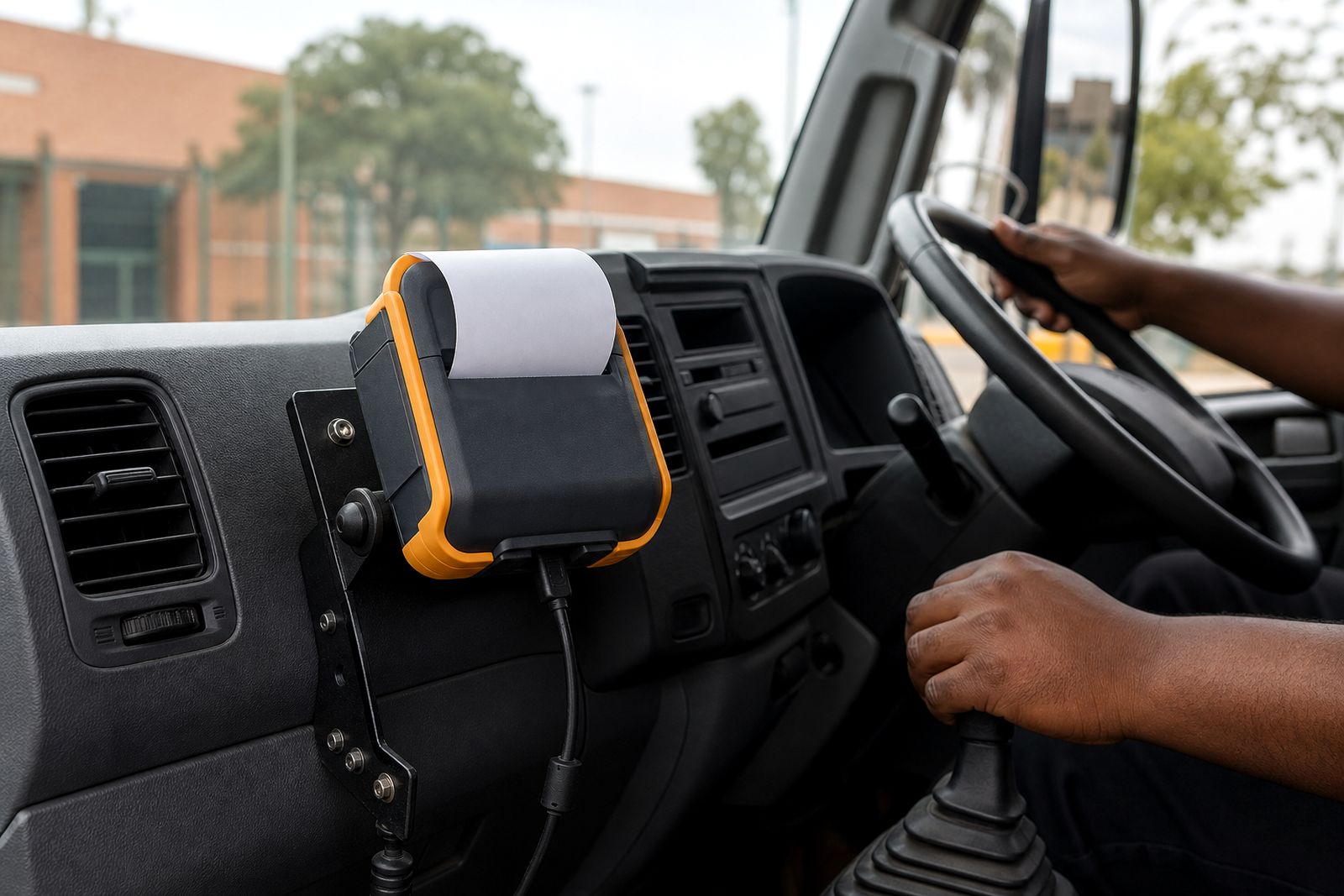
A proper mount keeps the printer stable and within easy reach. This matters for safety as much as convenience. Drivers should not be bending down to the floor or reaching behind seats to find the printer at each stop. A good mounting position keeps the printer secure without blocking controls or passenger space.
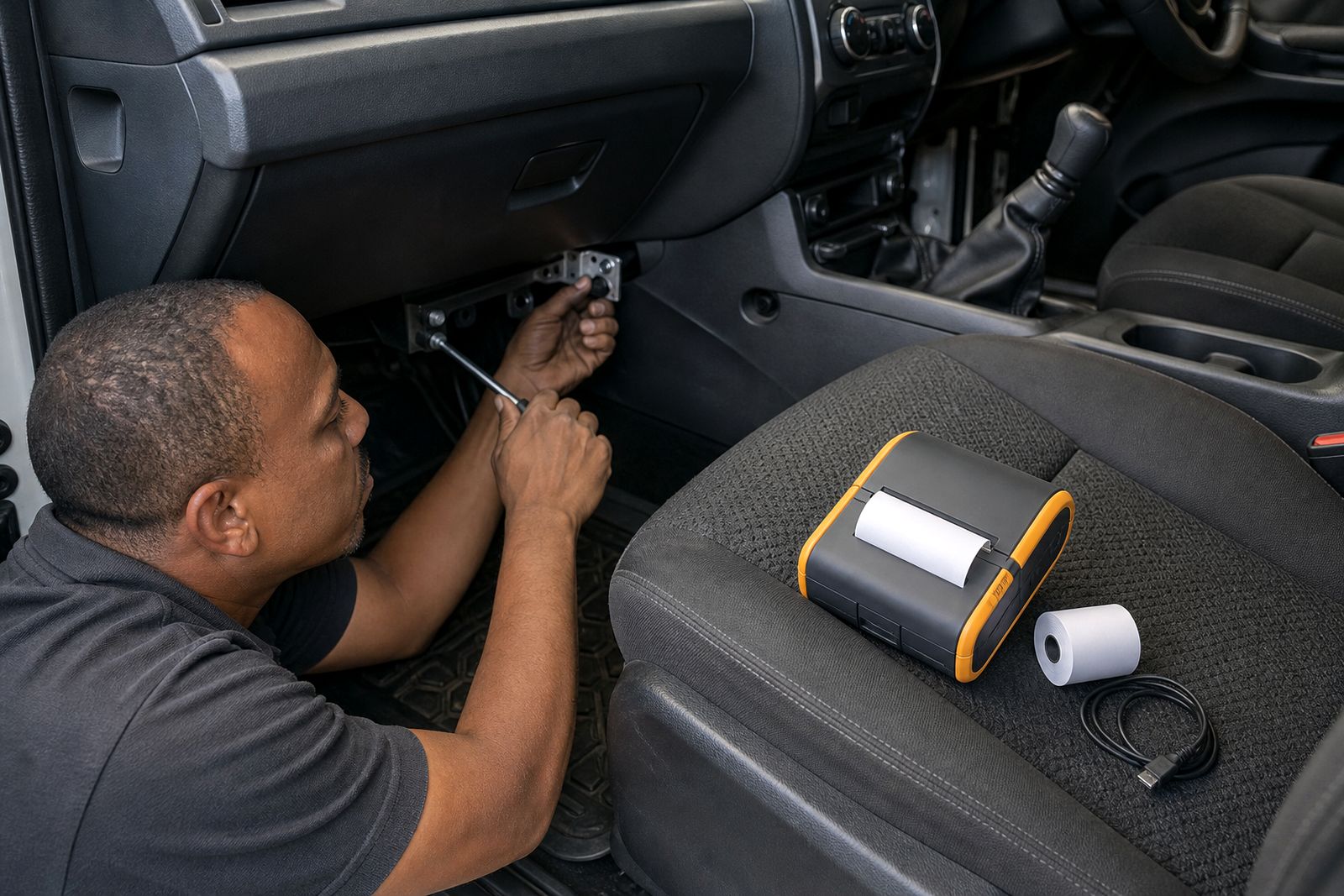
Mount choice depends on the vehicle layout, printer size and whether the unit needs to be removed often. Some teams leave the printer mounted most of the day, while others take it out regularly for roadside deliveries or gatehouse work.
- Vehicle mounts suit fixed routes where the printer is used from the cab often.
- Quick-release setups suit teams that move in and out of the vehicle many times a day.
- Compact mounting positions help in smaller cabs where space is tight.
Where municipal fleets or contractor vehicles have installation rules, we can guide you toward options that avoid awkward placement and keep the setup practical.
Carry cases and clips for work away from the vehicle
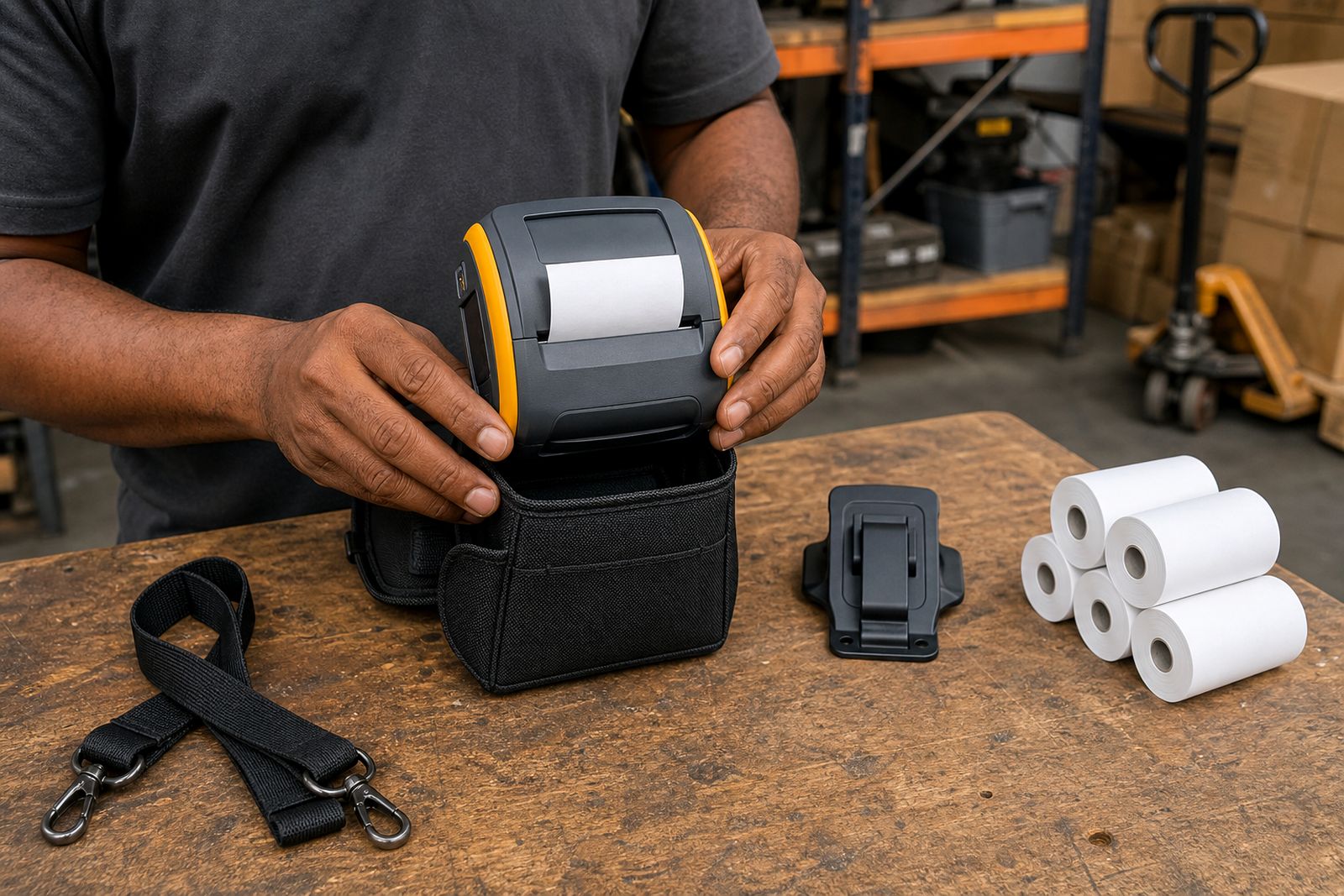
Not every print happens from inside the vehicle. Many drivers and field sales staff walk to a customer entrance, warehouse receiving point or parking area before issuing the receipt. In those cases, a carry case, belt clip or shoulder option can make the printer easier to handle and less likely to be dropped.
Carry accessories also help protect printers from dust, scuffs and light splashes. Coastal humidity and summer rain can be hard on paper and electronics, so basic protection goes a long way if the team works outdoors often.
- Belt clips suit operators who need both hands free while moving stock or checking deliveries.
- Shoulder carry options suit heavier use where the printer is carried for long periods.
- Protective cases suit teams working across warehouses, forecourts and outdoor collection points.
How to choose between chargers, mounts and cases
The best setup depends on how the printer is used, not only on the printer model. A route seller doing stop-and-go work has different needs from a parking team on foot, and both differ from a courier driver who prints only at selected deliveries.
- Choose a charger first if battery runtime is the main problem during the day.
- Choose a mount first if the printer shifts around the cab or takes too long to access.
- Choose a case or clip first if the operator carries the printer away from the vehicle most of the time.
- Choose the full set if the printer moves between in-vehicle printing and on-foot printing during the same route.
We also look at paper width and the handheld device or phone used with the printer, because the overall working method matters. A wider roll may mean a larger printer, and that can affect which mount or carry option is comfortable in daily use.
Matching accessories to your printer setup
We supply accessories for mobile receipt printers used by drivers and field teams, and we help customers choose a practical combination for their application. That includes checking the printer style, charging method, mounting space and how often the unit is carried by hand. We do not sell handheld computers, develop software or repair other brands.
If you are unsure what to order, send us the printer details, your paper width and a short note on how the team works in the field. We can then recommend suitable options for in-vehicle power, secure mounting and everyday carrying. Customers in Midrand and Johannesburg can enquire directly, and we also supply nationwide by courier.
What our Mobile Receipt Printers customers say
Verified Google reviews
Questions we get asked
Do I need a vehicle charger if the printer already has a battery?
Usually yes if the printer is used heavily during a shift. The internal battery is useful, but regular in-vehicle charging helps avoid interruptions on busy routes.
What is better for a driver, a mount or a carry case?
It depends on how the printer is used. A mount suits frequent in-cab printing, while a carry case or clip suits operators who walk the printer to delivery points.
Can you help me choose accessories for my phone-linked printer?
Yes. We can help match the accessory setup to the printer, the phone or handheld device being used and the paper width, so the full system works properly on the road.
Tell us about the job
Send sizes, materials and where you are through our contact form, and we will come back with the practical options.
Open the contact form