

Carry cases and clips
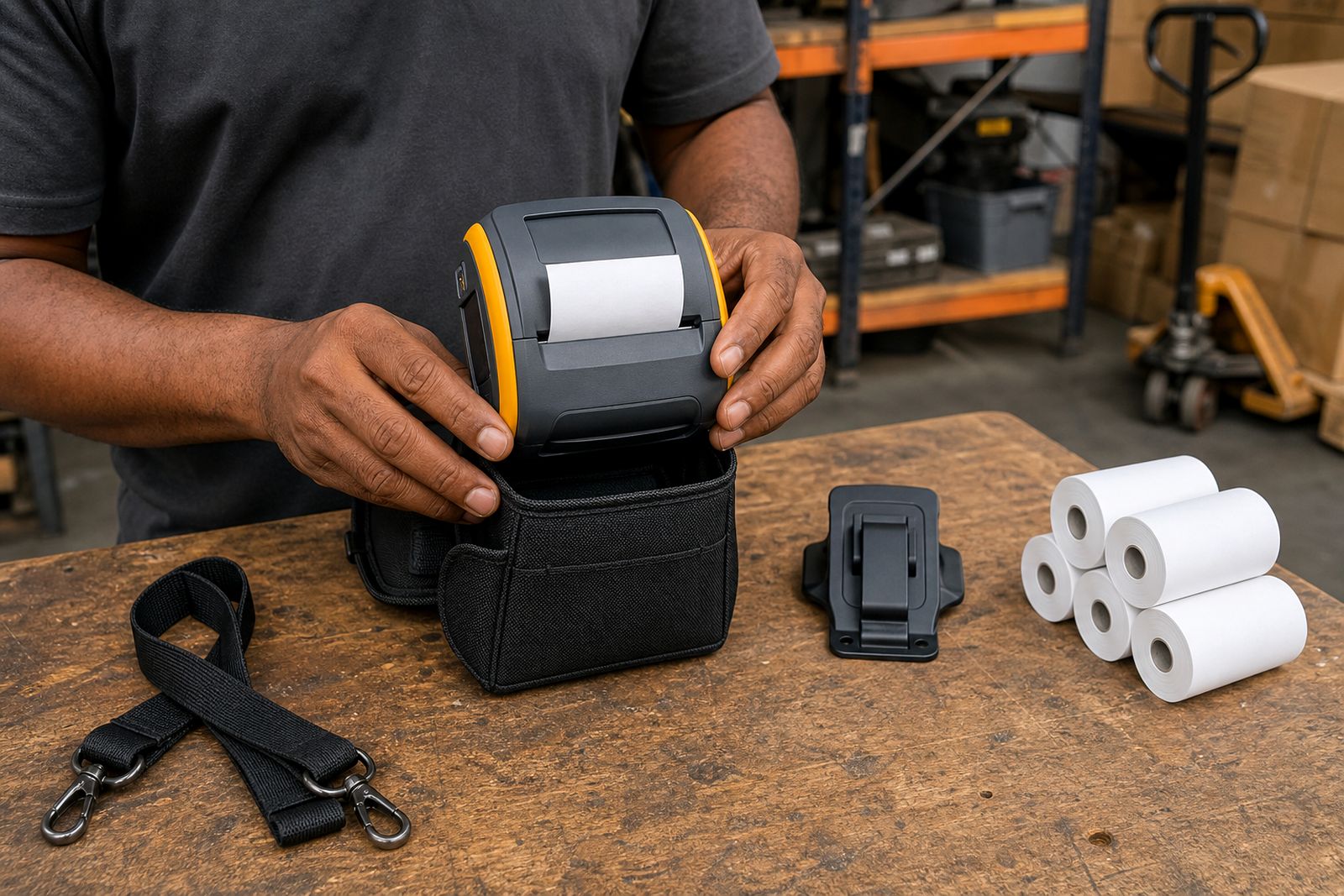
A good carry setup keeps a mobile receipt printer protected, close at hand and easier to use through a full shift. We supply cases, belt clips and shoulder carry options matched to printer size, paper width and the way your drivers or field team actually work.
What carry cases and clips are for
Carry cases and clips are there to protect the printer between stops and make it simpler to carry while loading, walking sites or moving between customers. A bare printer gets knocked against van shelves, door frames and steering columns, and that often leads to cracked covers, bent latches or cable strain around the charging port. A fitted case helps absorb small impacts while still leaving access to the paper lid, buttons and charging point.
For teams printing all day, the carry method matters almost as much as the printer itself. A belt clip suits route sellers and warehouse check-in teams who need both hands free. A shoulder case suits delivery drivers and inspectors who walk further or move up and down stairs. In parking, roadside inspections and vehicle sales, a case also helps keep the unit cleaner when there is dust, drizzle or greasy hands from regular handling.
Options by size and how they work in the field
We match the carry option to the printer body size and the paper width, usually 58 mm or 80 mm models. Smaller units are lighter and sit better on a belt, while larger units normally work better in a shoulder case or a hand strap arrangement. The aim is to keep the printer secure without making paper changes slow or awkward.
- Belt clips: best for lighter printers and short stop-and-go jobs. They keep the unit tight to the body but can feel bulky in narrow vehicle seats.
- Shoulder carry cases: suited to larger printers, longer walking distances and teams carrying a phone, slips or delivery notes at the same time.
- Protective sleeves: useful where the printer mostly stays in the vehicle but still needs basic scuff protection and grip.
- Hand straps: practical for operators who print often at each stop and do not want the printer hanging at the hip.
Working limits are important. A belt clip is not ideal for heavier 80 mm units if the operator is climbing in and out of a vehicle all day. A loose universal case can block the paper lid or charging socket, which becomes a problem very quickly in shift work. If the team works in coastal humidity or fine inland dust, the case material and closure style matter more than most buyers expect.
Where these options suit, and where they do not
Carry cases and clips suit delivery fleets, route sales teams, parking attendants, meter readers, workshop receiving points and field inspection staff. They are especially useful where the printer is moved often, handed from vehicle to pavement, or carried while the operator scans, signs or collects payment. In these jobs the case reduces wear and helps the operator keep a steady grip.
- Well suited for: courier rounds, spares deliveries, on-site sales, roadworthy inspections, gate access receipts and municipal field work.
- Less suited for: printers that stay mounted in one vehicle all day, very wet washdown areas, or jobs where the printer must be fully enclosed after every print.
- Take care in: open bakkies, bike deliveries and dusty construction sites where the printer may still need a sealed vehicle mount between stops.
A clip alone is usually not enough where printers get tossed onto seats or mixed with tools and stock in a load bin. In those cases a proper carry case is the safer choice. If the operator wears a thick winter jacket or reflective gear, we may suggest a longer strap or a different clip position so the unit does not sit too high and catch when getting in or out the vehicle.
Fitment, access and vehicle setup
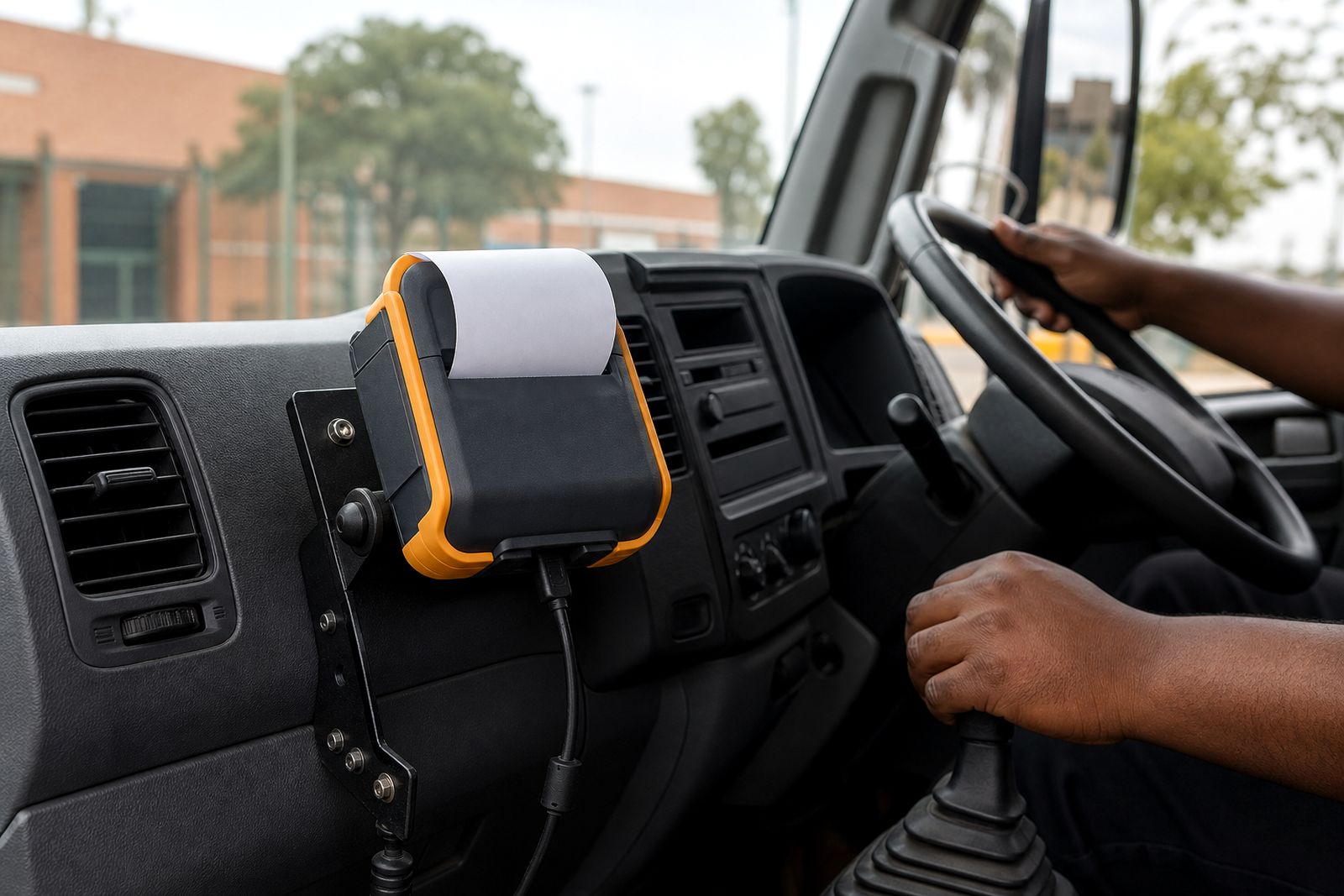
These accessories do not need special site installation, but they do need the right fit. The case must allow the printer to print cleanly, open for paper changes and connect to charging without being removed every time. If a vehicle charger is used, cable routing should not pull against the case opening or drag across the gear area. We also look at whether the operator prints while standing beside the vehicle, from the cab, or at a customer counter.
Tell us if the printer is carried on the left or right hip, whether staff are mostly seated between stops, and whether they wear safety belts, reflective bibs or heavy jackets. Small details like that make a big diffrence to day-to-day comfort. For some setups, a shoulder case works better simply because it avoids pressure against the seat and makes the printer faster to grab at each stop.
Care, cleaning and daily checks
A carry case will last longer if it is cleaned lightly and checked often. Thermal printers are used in dusty vans, busy workshops and roadside conditions, so the case should not become the place where grit builds up and starts scratching the printer body. It is better to wipe down the case regularly than to leave dirt packed into seams and clips for weeks.
- Brush out dust and paper fluff from openings and corners.
- Wipe with a slightly damp cloth, then dry before charging or storing.
- Check clips, straps and fasteners for cracks or stretching.
- Do not force a larger battery or thicker paper roll into a tight fitted case.
- Keep the case away from prolonged direct sun on the dashboard, especially in closed vehicles.
If operators work in coastal areas, salt air and humidity can leave fittings sticky over time. Inland teams often fight fine dust instead. A simple weekly check by the supervisor helps catch wear before a clip fails on shift and the printer lands on tar or paving.
What to tell us when you enquire
We help you choose a case or clip that matches the printer and the job, not just the picture. When you contact us through the enquiry form on our contact page, include the printer model, paper width, and whether your team uses Bluetooth or USB charging routines in the vehicle. Also mention if the operator prints while walking, mostly from the cab, or at a customer counter.
The more practical detail you send, the better we can narrow it down first time. Let us know if you need access to buttons, charging, belt carry, shoulder carry, or room for spare rolls. If there are vehicle mounts or chargers already in use, mention that too, as the carry option must not interfere with cables, docks or normal handling.
- Printer model and paper width, such as 58 mm or 80 mm.
- How the printer is carried now, if at all.
- Typical job type, for example delivery, route sales or inspection.
- Whether staff are seated often or mostly walking.
- Any exposure to rain, dust, coastal humidity or workshop grease.
- Need for belt clip, shoulder strap, hand strap or spare roll storage.
What our Mobile Receipt Printers customers say
Verified Google reviews
Questions we get asked
Can I use one case for different mobile printer models?
Sometimes, but not always. A universal fit can block the paper lid, charging point or buttons. It is better to match the case to the printer body size and paper width so the unit stays protected and easy to use.
Is a belt clip enough for delivery drivers?
For smaller printers and short stops, yes. For larger printers or longer walking distances, a shoulder case is often more comfortable and reduces bumping against the vehicle seat and door frame.
What should I include in my enquiry?
Send the printer model, paper width, how the team carries the unit now, whether they work from a vehicle, and any issues with dust, rain, cab space or charging access. Use the enquiry form on our contact page.
Also worth a look
Tell us about the job
Send sizes, materials and where you are through our contact form, and we will come back with the practical options.
Open the contact form