

Bluetooth receipt printers
Bluetooth receipt printers let your driver or field rep pair to a phone or handheld and print on the spot without a cable. They suit delivery rounds, route sales, parking, inspections and vehicle-based work where speed and mobility matter.
What a Bluetooth receipt printer is
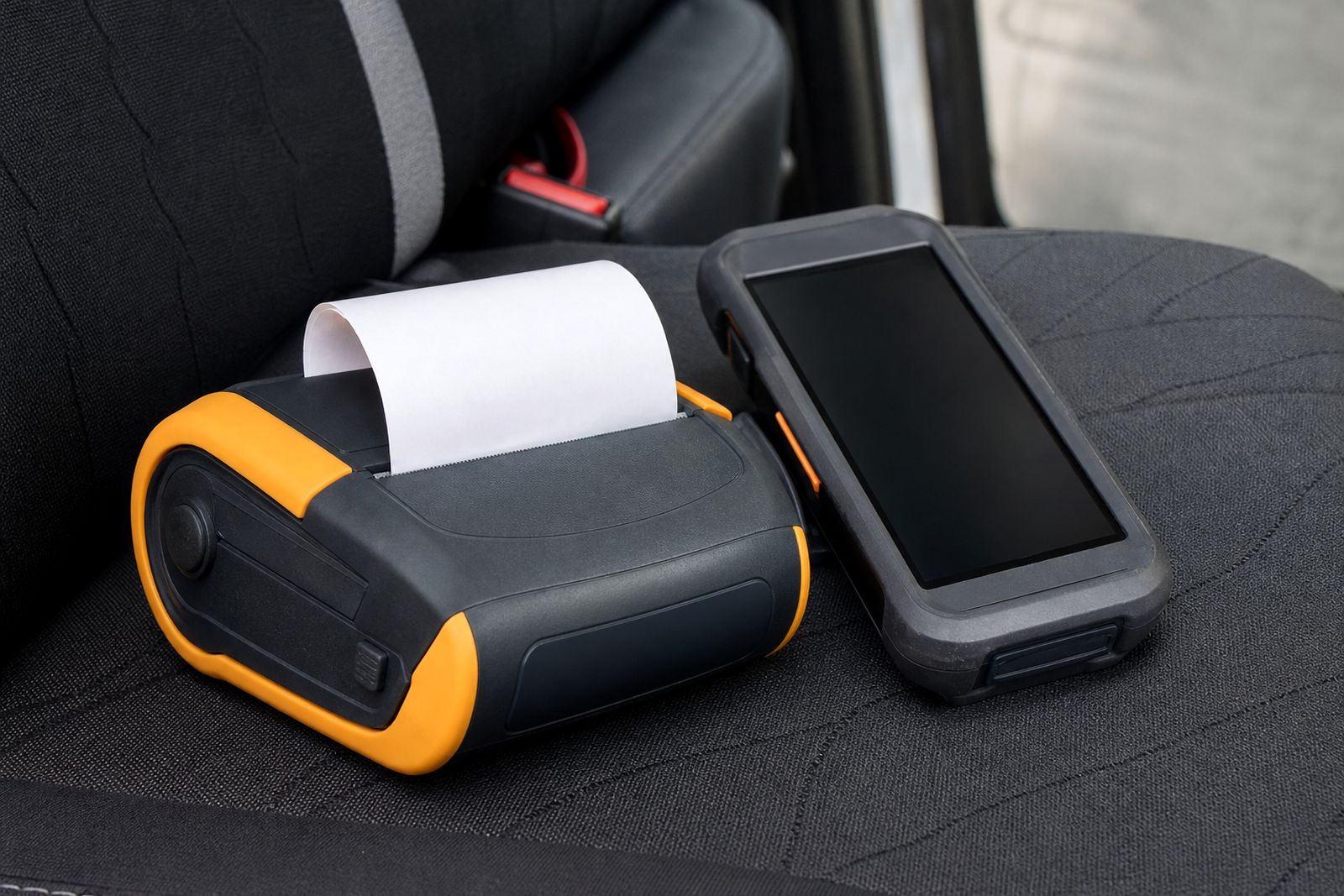
A Bluetooth receipt printer is a compact thermal printer that links wirelessly to a compatible phone, tablet or handheld device. Instead of running a USB cable from device to printer, the operator pairs the unit once and then prints receipts, proof of delivery slips, invoices or inspection notes while standing at the customer site or next to the vehicle.
For South African field work this matters because operators are often moving between the cab, the pavement and the client counter. A small printer worn on a belt, carried in a case or mounted in the vehicle saves time and cuts down on handwriting errors. Thermal printing also means no ink cartridges to replace, which keeps daily running simple.
- Wireless printing from a paired mobile device
- Thermal output on receipt paper rolls
- Suitable for mobile use in vehicles and on foot
- Available with matching accessories such as clips, cases and chargers
Sizes, options and working limits
The two common paper widths for mobile receipt printers are 58 mm and 80 mm. A 58 mm unit is smaller and lighter, which makes it easier for route sellers, parking staff and inspectors who carry the printer for long periods. An 80 mm unit gives a wider print area for more readable invoices, signatures, line items or customer details, but it is bulkier and needs a little more room in the vehicle or carry case.
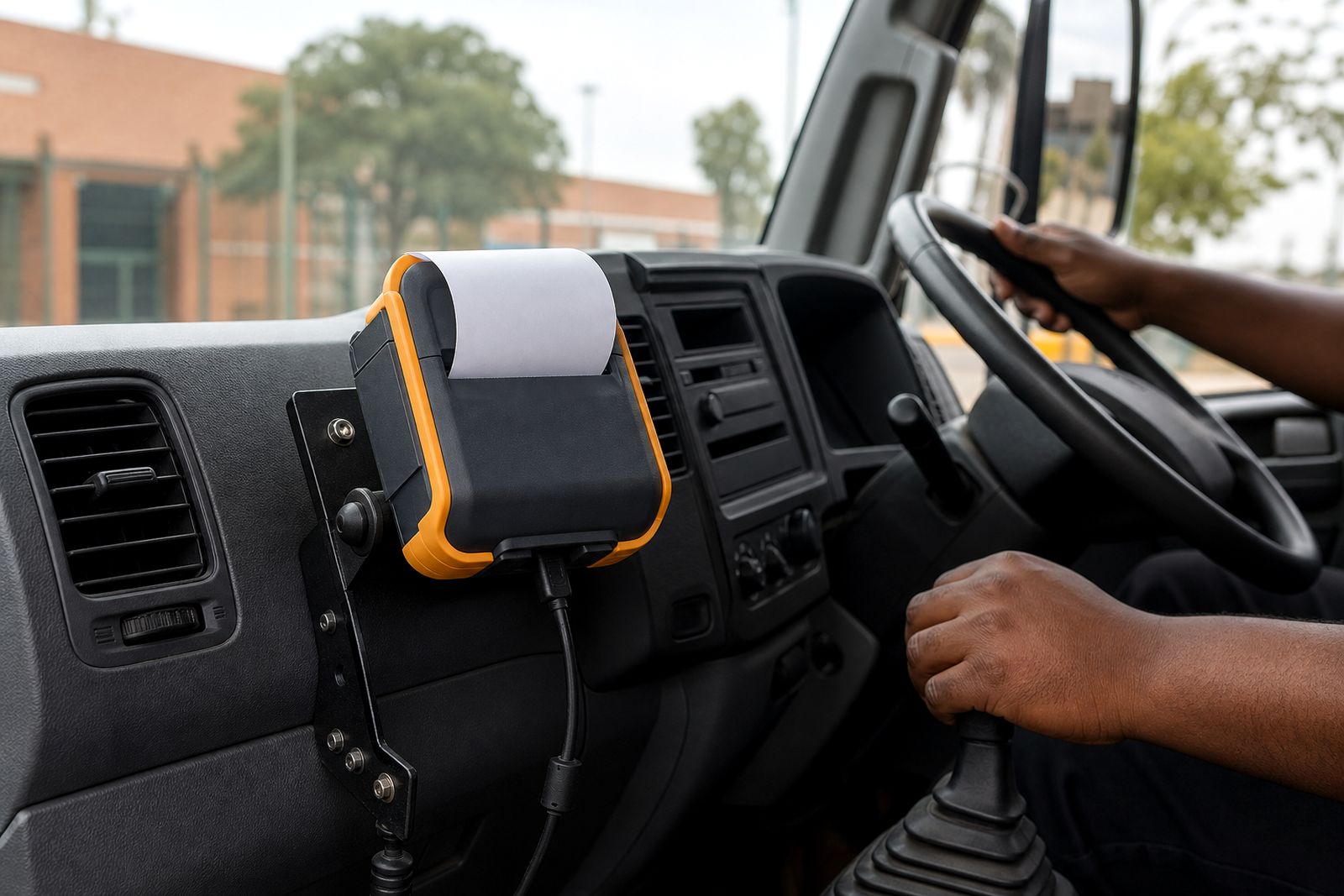
Bluetooth models can be supplied with features such as battery operation, USB charging or data connection, belt clips, shoulder straps, carry cases, vehicle chargers and dashboard or cabin mounts. Some teams need a printer that travels with the driver all day, while others want a unit to stay mounted in the cab and print only when stopped.
There are working limits to keep in mind. Bluetooth is convenient but it is still a short-range connection, so it is best when the phone or handheld stays close to the printer. Thick vehicle panels, a busy cab with several wireless devices, or a dead battery can interrupt printing. It is also not the right choice if your process needs very long continuous printouts or if the printer will be left exposed to rain and dust without protection.
- 58 mm for lighter carry weight and simple slips
- 80 mm for larger receipts and more content per line
- Best when operator and printer stay within normal Bluetooth range
- Not ideal for wet, uncovered or high-impact use without a case or mount
Where Bluetooth printers work well, and where they do not
Bluetooth receipt printers suit delivery and courier drivers who need quick proof of delivery printouts at the gate, warehouse or receiving bay. They also fit route sales teams issuing cash or account slips from the vehicle, parking teams printing tickets beside the kerb, and inspection staff producing a receipt or record in front of the customer. In these jobs, the operator benefits from printing while walking around the vehicle or standing at the customer counter.
They are less suitable where the printer must serve several users across a large floor area, where a fixed counter printer would be more practical, or where the device sending the print job does not support the required pairing method. If your team works in very hot parked vehicles all day, on dusty gravel routes, or along the coast where humidity and salt can affect equipment, we usually recommend the right case, mount and storage routine from the start.
Load-shedding also affects field operations. Battery-powered printing keeps going during outages, but the units still need scheduled charging in the vehicle or at base. A simple charging plan avoids flat batteries half way through the route.
Device matching and site requirements
The most important part of choosing a Bluetooth printer is matching it to the device that will send the print job. We help customers check the phone or handheld type, the operating environment, the paper width needed and how the printer will be carried or mounted. We do not supply handheld computers or build software, so the printing side needs to fit your existing setup.
Before ordering, confirm whether the device prints by Bluetooth, USB, or both, and whether the app already formats receipts for 58 mm or 80 mm paper. A wide invoice squeezed onto a narrow roll can become hard to read. If signatures, VAT details, product lines or return terms need to appear on the slip, the paper width should be chosen with that in mind.
- Type of phone or handheld being used
- Paper width required, usually 58 mm or 80 mm
- How the printer will be carried, belt-worn or vehicle-mounted
- Charging method at base and in the vehicle
- Typical print volume per operator per shift
For vehicle use, make sure there is a safe place for the unit where it will not be crushed by parcels, knocked by doors or left loose on the dashboard. Mounting should not interfere with visibility or municipal road safety requirements. In some fleets a carry case is the better option, especially where different drivers use the same vehicle.
Care on the road
Mobile printers last better when operators treat them as working tools rather than loose items rolling around in the cab. Keep the unit in its case or clip when not in use, load the correct roll size, and avoid forcing the paper cover shut. Dust, heat and moisture are the main enemies in South African field conditions.
Thermal paper should be stored out of direct sun and away from excessive heat. A box of rolls left on a vehicle seat can darken or curl before use, which leads to poor feed and faint print. Along the coast, store spare rolls in a dry cupboard and rotate stock regularly. In inland summer heat, avoid leaving the printer in a sealed vehicle over weekends if possible, it shortens battery life.
- Charge batteries fully at base or with the correct vehicle charger
- Use the correct roll width and diameter for the printer
- Keep paper and printer away from rain, direct sun and grit
- Clean the paper path lightly and check covers for proper closing
What to send with your enquiry
When you contact us through the enquiry form, a few practical details help us point you to the right Bluetooth receipt printer faster. We need to know what device the operator is printing from, what paper width you need, and whether the printer will be carried on the body or kept in the vehicle. If your team works across Midrand, Johannesburg, or nationwide on courier routes, mention the typical conditions as well.
Please include whether you need accessories such as belt clips, carry cases, vehicle chargers, mounting brackets and thermal paper rolls. Also tell us if you need simple receipts only or more detailed printouts with item lines, totals and signatures. Those points usually decide between a smaller 58 mm unit and a wider 80 mm unit.
A short note with your current process helps a lot, even if it is rough. For example: one printer per driver, paired to a company phone, printing ten to fifty slips per day from the cab. That saves back and forth and gets you to a workable option quicker.
What our Mobile Receipt Printers customers say
Verified Google reviews
Questions we get asked
Can a Bluetooth printer work with any phone or handheld?
Not automatically. The phone or handheld must support the required pairing method and your app must be able to send a print job in the right format for the printer and paper width.
Should I choose 58 mm or 80 mm paper?
Choose 58 mm when low weight and compact carry size matter most. Choose 80 mm when you need a larger, easier to read receipt with more line detail.
Do you repair printers from other suppliers?
No. We supply mobile receipt printers and matching accessories, but we do not repair other brands or develop software.
Also worth a look

Tell us about the job
Send sizes, materials and where you are through our contact form, and we will come back with the practical options.
Open the contact form